Security
Zone-Based Firewalls Explained: A Practical Guide
Published September 9, 2026 • 7 min read
Most firewalls think in simple terms: "Allow traffic in, deny traffic out." But real networks are more complex than that. You have employees, guests, servers, IoT devices — all needing different levels of access to different parts of your network.
Zone-based firewalls think in terms of network segments. Instead of just "inside/outside," you define zones (LAN, Guest, DMZ, VPN), then set rules about what can talk to what. It's more flexible and more secure.
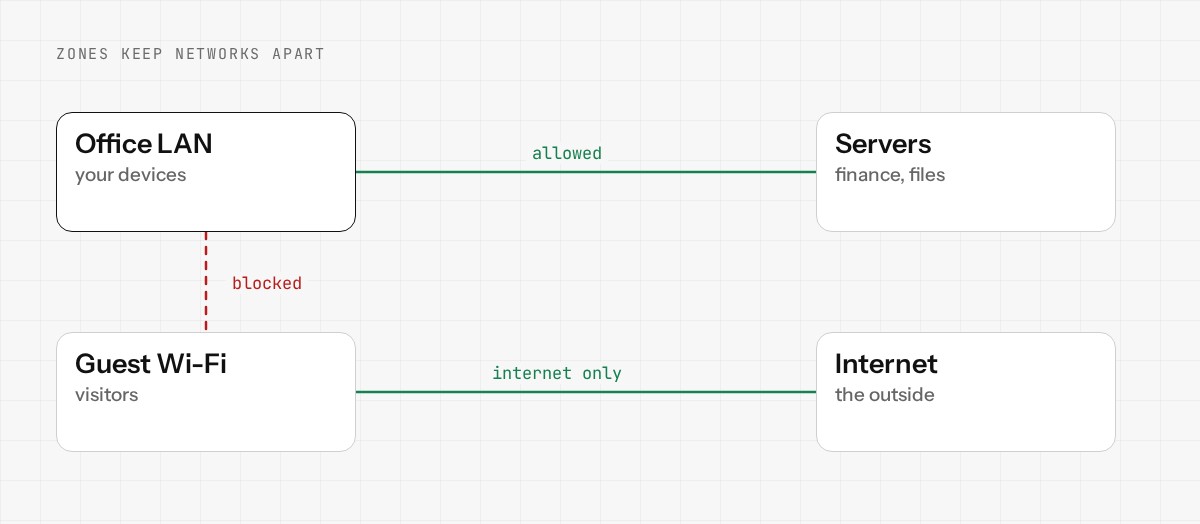
What's a Zone?
A zone is a logical grouping of network devices or VLANs that share the same security policy. For example:
- •LAN Zone: Your trusted internal network (employees, printers, file servers)
- •Guest Zone: Guest WiFi (you trust these devices less)
- •DMZ Zone: Publicly-accessible services (web server, mail server)
- •VPN Zone: Remote office or remote users connecting via VPN
- •WAN Zone: The internet (everything outside your network)
How Rules Work Between Zones
Instead of "allow" / "deny" globally, you set rules between specific zones. For example:
Rule 1: LAN → DMZ
Allow (employees can access the web server)
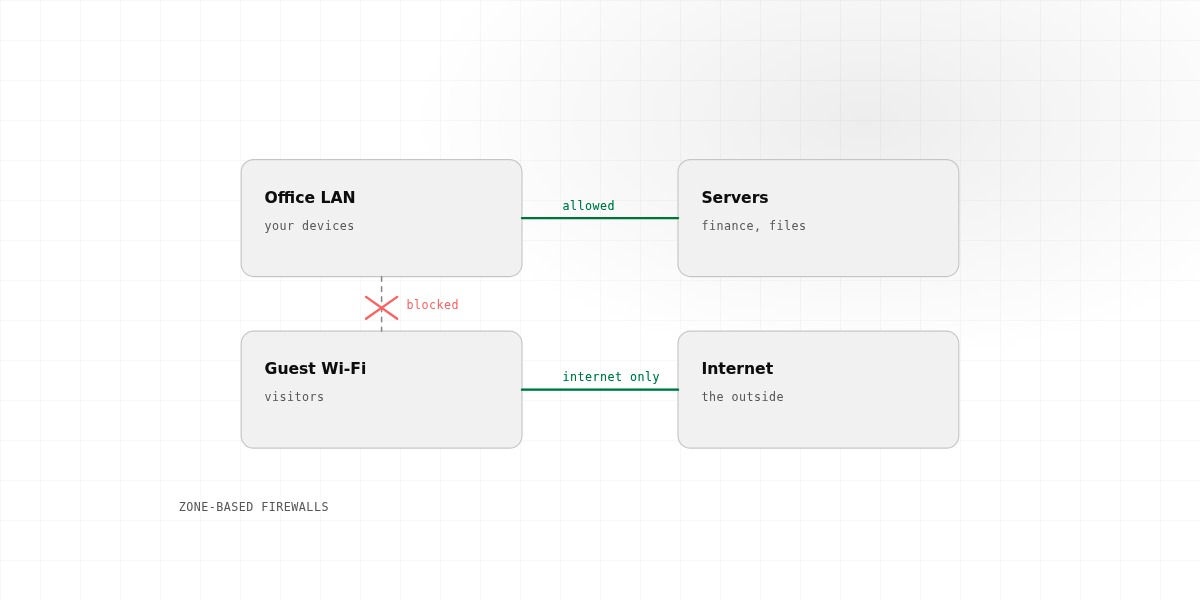
Rule 2: Guest → LAN
Deny (guests can't access internal file servers)
Rule 3: Guest → WAN
Allow (guests can browse the internet)
Rule 4: DMZ → LAN
Allow specific ports only (web server can query database server on port 5432)
This granularity is powerful. You're not making blanket "allow/deny" decisions. You're describing exactly what traffic is allowed between which parts of your network.
Why This Matters: Real-World Example
Imagine a small office with:
- •10 employees on the main network (LAN)
- •A guest WiFi network (Guest)
- •A file server with sensitive customer data (on LAN)
Without zone-based firewalls, you'd have a problem: either allow internet traffic freely to everyone (guest + employees), or restrict it to nobody. You have no middle ground.
With zones, you can say: "Guests can use the internet, but they cannot access the LAN at all." Done. No guest device, no matter how compromised, can touch your file server.
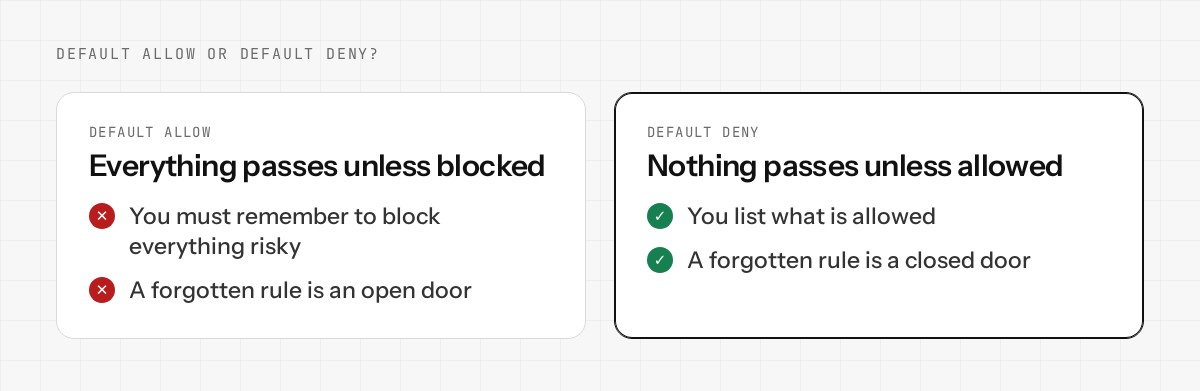
Default Deny vs. Default Allow
Zone-based firewalls should work on a "default deny" principle: by default, nothing is allowed between zones unless you explicitly permit it.
This is opposite to how many small offices think ("everything should work by default, block the bad stuff"), but it's more secure. You define what's allowed, and everything else is blocked. When something stops working, you know it's because a rule is missing — which is fixable. When a security breach happens, you have clear rules about what should have been possible, making forensics easier.
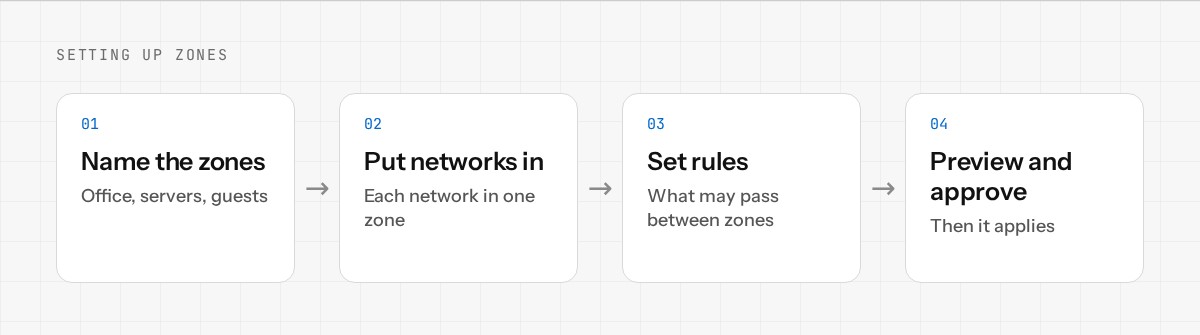
Setting It Up
Setting up zones on Enwigate OS is straightforward:
- 1.Define your zones (LAN, Guest, DMZ, etc.)
- 2.Assign network interfaces or VLANs to each zone
- 3.Create rules between zones (allow/deny specific traffic)
- 4.Done. All traffic between zones now flows through your defined rules.
The Real Benefit
Zone-based firewalls let you build a network with defense-in-depth. Different parts of your network have different risk levels and different trust levels. Your firewall reflects that reality.
It's how enterprise networks are built. You can use the same architecture for a small office.
Ready to implement zone-based firewalls? Join Enwigate OS early access.