Evaluation Guide
What to Look for When Evaluating a Modern Network Operating System
Published September 9, 2026 • 8 min read
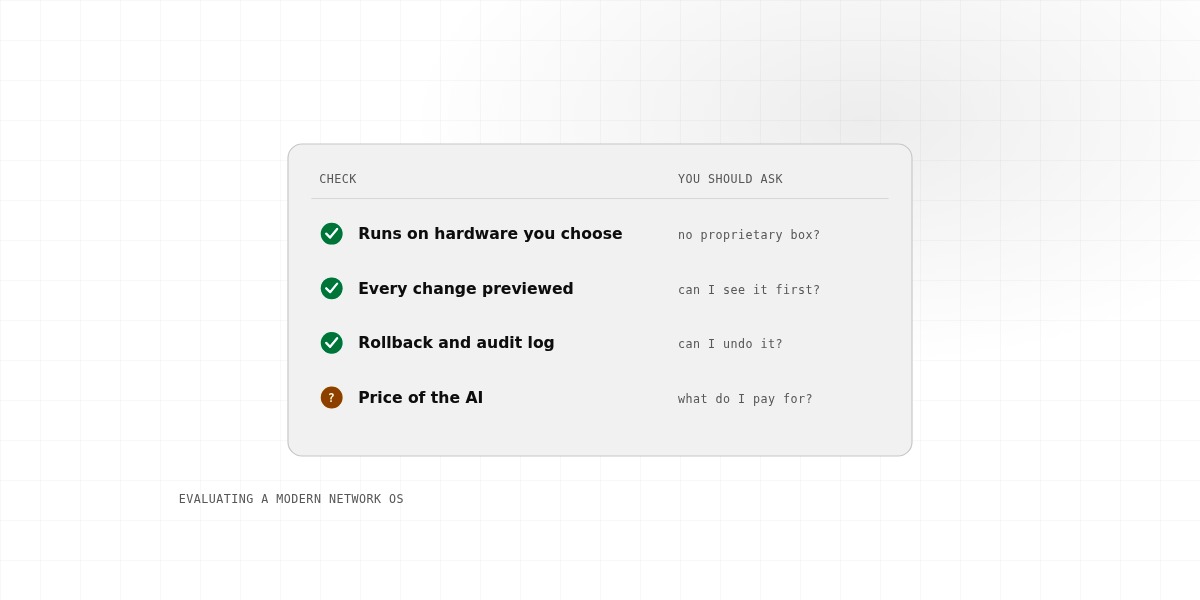
If you're evaluating a new network operating system (or firewall, or router OS), you probably have a few candidates in mind. They all look good in marketing materials. How do you actually decide?
Here's a practical checklist to help you compare them fairly.
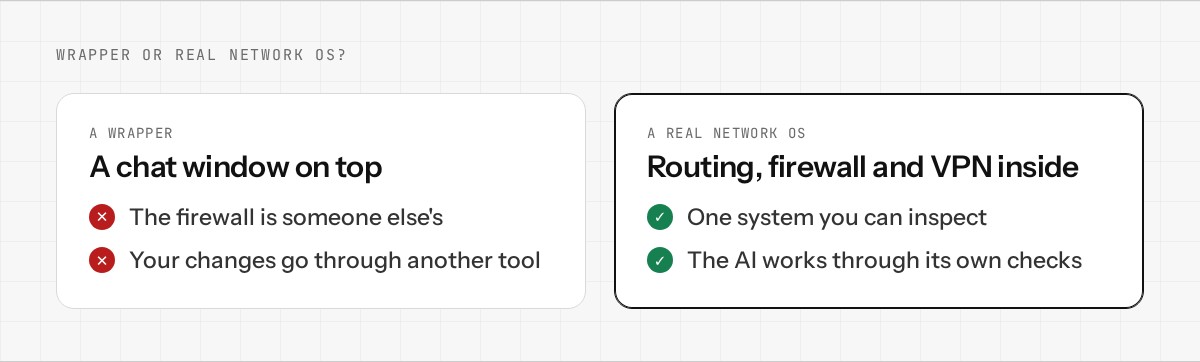
1. Is It Actually a Network OS, or Just a Wrapper?
Ask: "What's running underneath?"
- •Real routing and firewalling: Linux kernel, nftables, real routing tables
- •OR: A proprietary black box that does who-knows-what
If it's the latter, you're trusting a vendor's claims about performance and security without being able to verify them.
2. Do You Own the Hardware, or Is It Locked In?
Can you install the OS on hardware of your choice, or are you forced to buy the vendor's appliance?
- •Freedom: Run it on any standard hardware (mini PC, cloud instance)
- •OR: You can only use the vendor's proprietary hardware
Locked hardware means you lose the ability to upgrade independently, choose your costs, or migrate away. Avoid it.
3. What's Your Actual Cost of Ownership?
Don't just look at the list price. Total cost includes:
- •Hardware cost (or cloud instance cost)
- •Software license (if any)
- •Support/maintenance contracts
- •Training (if needed)
- •Upgrade costs (can you upgrade the existing hardware, or must you buy new?)
A cheap appliance with expensive support contracts can end up costing more than a software-first OS running on cheap hardware.
4. Can You Actually Understand What It's Doing?
When you create a firewall rule, can you see the actual rule? Can you view logs? Can you understand the configuration?
- •Transparency: Rules are human-readable, logs are detailed, you can access the underlying config
- •OR: The system is a black box; you're trusting that what you intended actually happened
Black-box systems make debugging problems nearly impossible. You can't verify your security posture. Avoid them.
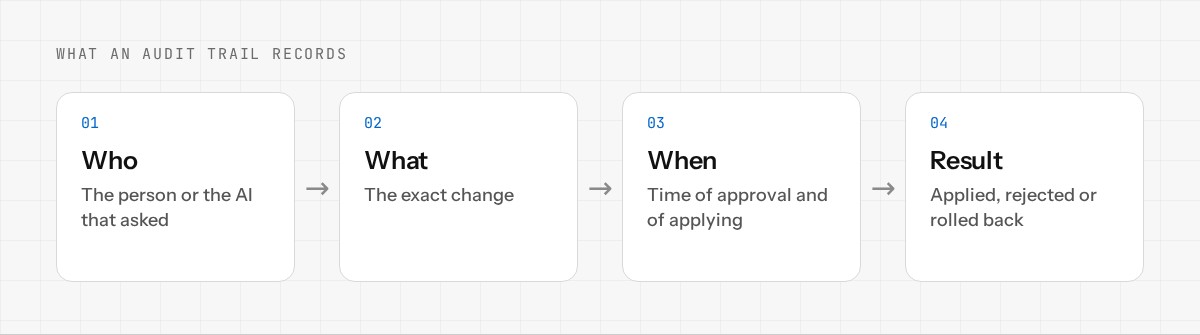
5. Is There an Audit Trail?
Every change to your network configuration should be logged: who made it, what changed, when, and with what result.
- •Best: Detailed audit trail, easy to query, searchable by time/user/object
- •Risky: No audit trail, or trail is hard to access
When something goes wrong (a misconfiguration, a security issue), an audit trail is how you figure out what happened and when.
6. Can You Reverse Changes?
Network changes sometimes break things. Can you roll back to a previous state?
- •Good: Full configuration backups, easy rollback to any previous state
- •Risky: No rollback capability, or you have to manually recreate your old config
Rollback capability turns a "oh no, I broke something" moment into a minor inconvenience.
7. How Difficult Is Management?
Ask:
- •Can I understand the UI without training? (Or do I need a consultant?)
•Does it offer an API so I can automate management? - •How much technical depth do I need to understand it?
8. What's the Support Story?
Will the vendor still be around? Can you get help when you need it?
- •Is the company well-funded or an established player?
- •Is there an active community or forums where you can ask questions?
- •Is it open-source? (This means you can fix bugs yourself if needed.)
9. Can You Actually Try It?
The best way to evaluate a network OS is to run it for a week. Does the vendor offer:
- •A free trial or evaluation period?
- •A sandboxed environment you can test in?
- •Demo hardware or cloud instances?
If not, that's a red flag. Vendors confident in their product let you try it.
The Real Question
At the end of the day, ask yourself: "Do I own this, or does the vendor own me?"
A good network OS puts you in control: your hardware, your configuration, your data, visible at every step. A bad one hides details, locks you in, and makes you dependent on the vendor for everything.
Choose the former.
Want to test Enwigate OS against this checklist? Join the early access. Run it yourself. See if it checks all the boxes.