Network Operations
Dual-WAN Failover Explained: Keeping a Small Office Online
Published September 9, 2026 • 6 min read
For a small office, internet downtime is a disaster. No email, no cloud apps, no video calls. A 30-minute ISP outage can cost thousands in lost productivity.
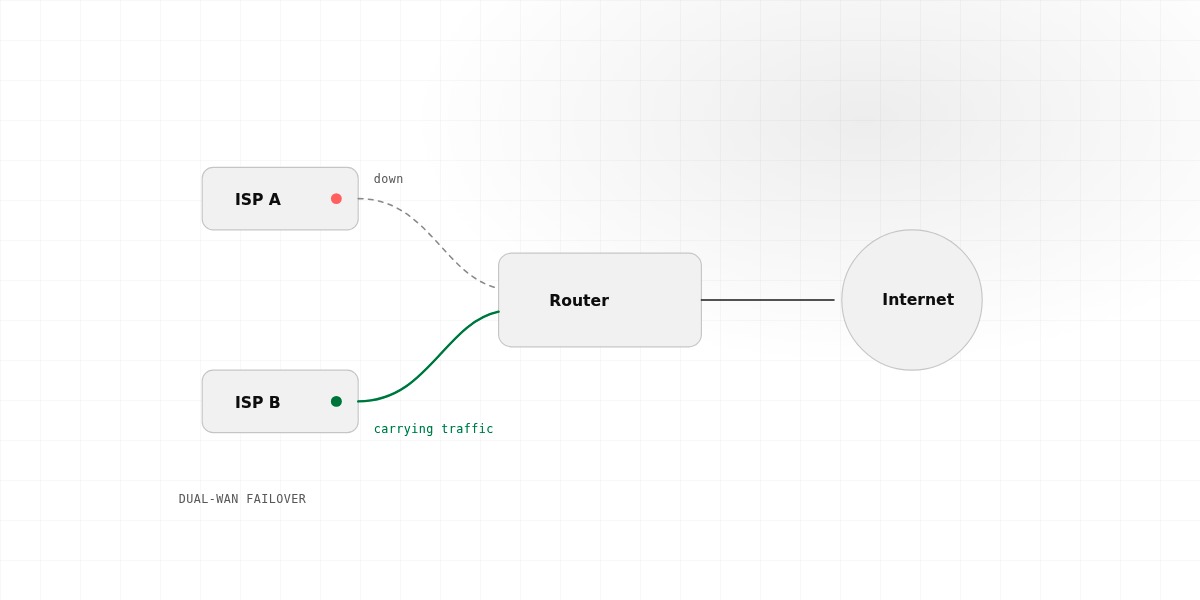
Dual-WAN failover solves this. It means having two internet connections — and automatically switching to the backup if the primary fails. It's the difference between "the office is down" and "nobody notices."
How It Works (The Simple Version)
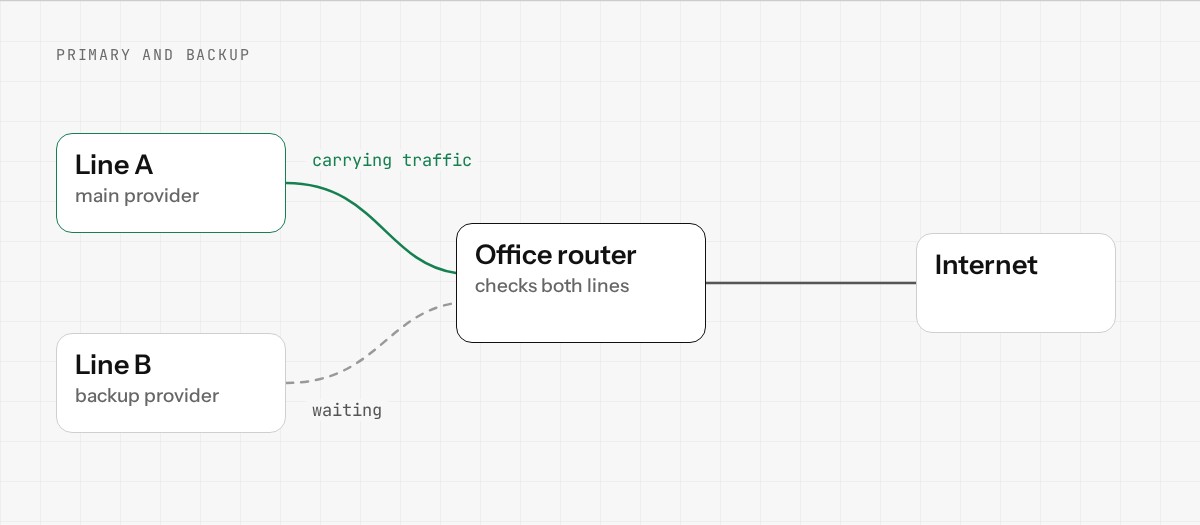
Imagine your office currently has one internet connection (let's call it Comcast). All traffic flows through it.
With dual-WAN, you add a second connection (maybe a business-class connection from a different provider). Your router monitors both and does the following:
- •Sends regular health checks to both connections ("Are you still online?")
- •If the primary connection fails, instantly switches to the backup
- •When the primary comes back, can switch back (or keep using the backup, your choice)
From your office's perspective, the internet just keeps working. Nobody notices the switch happened.
What "Health Check" Actually Means
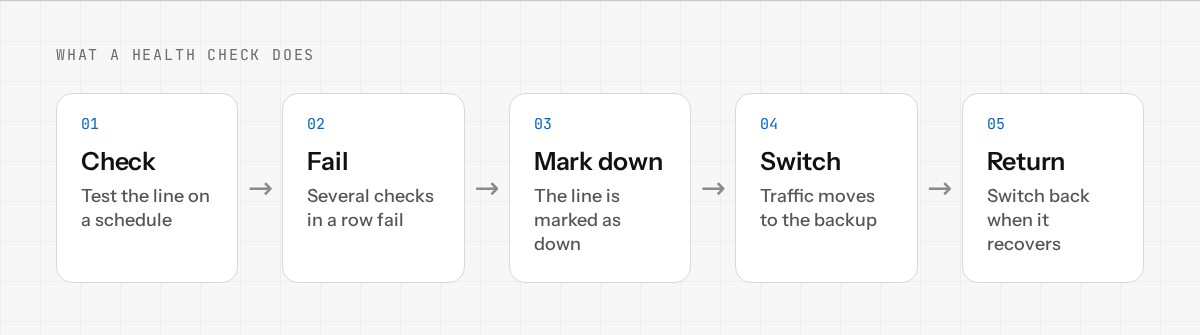
The router doesn't just check if the ISP's local modem is powered on. It does real end-to-end tests:
- •Ping a known-reliable server on the internet (like 8.8.8.8 — Google's DNS)
- •If the ping succeeds, the connection is working
- •If it fails multiple times in a row, declare the connection down
- •Instantly switch to the backup
The health checks happen every few seconds, so failover usually happens within 10-20 seconds of an outage. Fast enough that most cloud services and VoIP calls will stay connected (they have their own built-in tolerance for short latency bumps).
Two Strategies: Active-Passive vs. Load Balancing
Dual-WAN can work two ways:
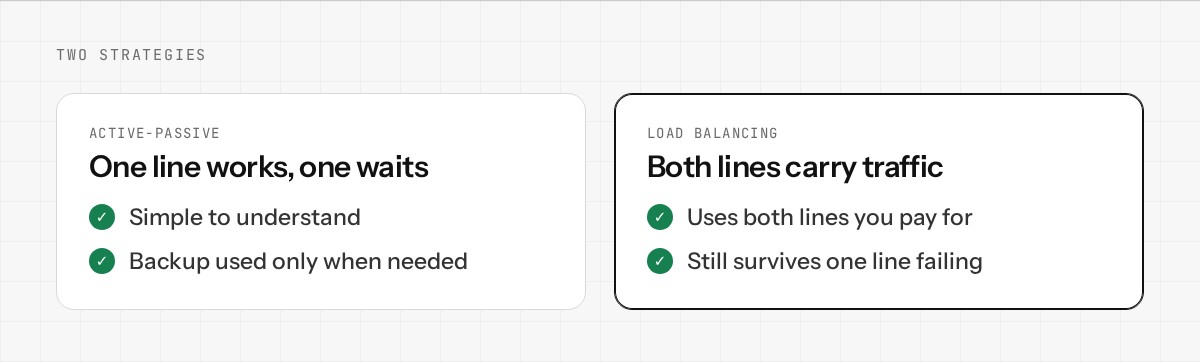
Active-Passive (Failover): One connection is primary. All traffic uses it. The backup sits idle. If primary fails, everything switches to backup. This is the simplest and most common setup.
Active-Active (Load Balancing): Both connections are active simultaneously. Traffic is distributed between them (e.g., 60/40 split). If one fails, all traffic automatically flows to the other. This gets you more total bandwidth and uses both connections efficiently. More complex to set up, but powerful if both connections are fast and reliable.
For most small offices, active-passive (failover) is the right choice. It's simpler, cheaper (you might not need two fast connections), and your primary connection typically has better pricing/terms anyway.
What Costs Are We Talking About?
The real cost is the second internet connection, not the router. For a small office:
- •Primary: Maybe Comcast Business or similar. ~$100–150/month for 100 Mbps.
- •Backup: Could be another cable provider, cellular (4G/5G hotspot), or DSL. Often cheaper because it's backup-only. ~$30–80/month.
- •Router with dual-WAN: Costs maybe $50–200 more than a basic router.
Total: ~$130–230/month for dual-WAN, depending on which backup you choose. For a 10-person office, that's ~$15–20 per person per month. Most would call that reasonable protection against downtime.
Setting It Up
Modern network operating systems (like Enwigate OS) make dual-WAN setup straightforward:
- •Plug in both internet connections (two ethernet cables from two modems)
- •Tell the router which is primary, which is backup
- •Configure health check settings (how often to check, how many failures before switching)
- •Done. It just works.
The Real Impact
The cost of internet downtime for a small office is high. An hour of downtime for 10 people might cost $1000+ in lost productivity, missed calls, delayed projects. Dual-WAN costs ~$150–230/month to eliminate that risk entirely.
For most offices, it pays for itself the first time you'd have had an outage.
Want to see how Enwigate OS handles dual-WAN setup? Join the early access.